Notice SOMFY prise télécommandée
Produit concerné
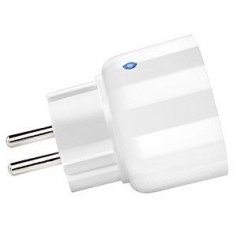
Zwave On-Off Plug — Ref. 5120822A
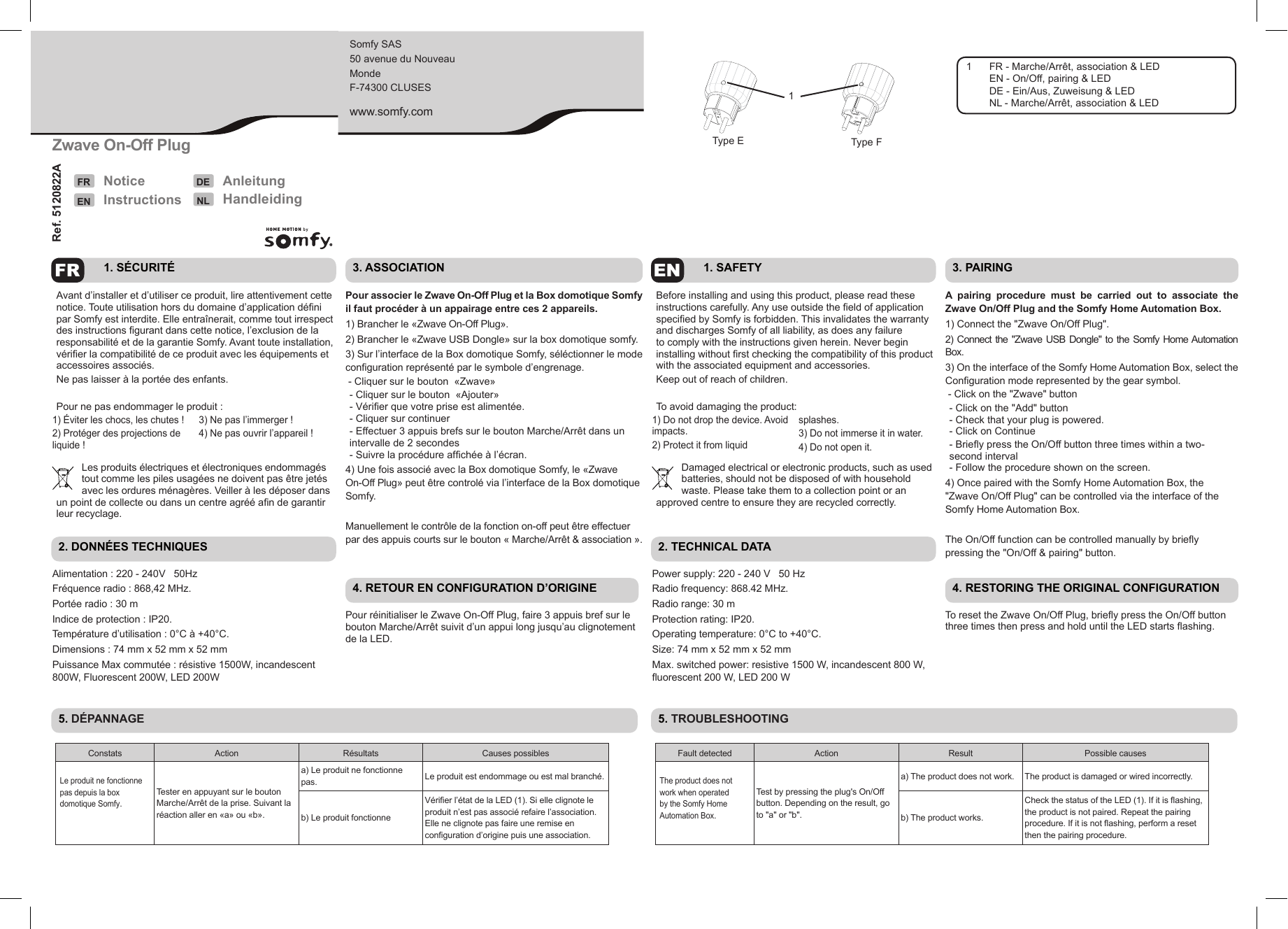
- FR - Marche/Arrêt, association & LED
- EN - On/Off, pairing & LED
- DE - Ein/Aus, Zuweisung & LED
- NL - Marche/Arrêt, association & LED
Somfy SAS
50 avenue du Nouveau Monde
F-74300 CLUSES
www.somfy.com
FR — Notice
1. Sécurité
Avant d'installer et d'utiliser ce produit, lire attentivement cette notice. Toute utilisation hors du domaine d'application défini par Somfy est interdite. Elle entraînerait, comme tout irrespect des instructions figurant dans cette notice, l'exclusion de la responsabilité et de la garantie Somfy. Avant toute installation, vérifier la compatibilité de ce produit avec les équipements et accessoires associés.
Ne pas laisser à la portée des enfants.
Pour ne pas endommager le produit :
- Éviter les chocs, les chutes !
- Protéger des projections de liquide !
- Ne pas l'immerger !
- Ne pas ouvrir l'appareil !
Les produits électriques et électroniques endommagés tout comme les piles usagées ne doivent pas être jetés avec les ordures ménagères. Veiller à les déposer dans un point de collecte ou dans un centre agréé afin de garantir leur recyclage.
2. Données techniques
| Alimentation | 220 - 240 V 50 Hz |
|---|---|
| Fréquence radio | 868,42 MHz |
| Portée radio | 30 m |
| Indice de protection | IP20 |
| Température d'utilisation | 0 °C à +40 °C |
| Dimensions | 74 mm x 52 mm x 52 mm |
| Puissance Max commutée | résistive 1500 W, incandescent 800 W, fluorescent 200 W, LED 200 W |
3. Association
Pour associer le Zwave On-Off Plug et la Box domotique Somfy il faut procéder à un appairage entre ces 2 appareils.
- Brancher le « Zwave On-Off Plug ».
- Brancher le « Zwave USB Dongle » sur la box domotique Somfy.
- Sur l'interface de la Box domotique Somfy, sélectionner le mode configuration représenté par le symbole d'engrenage.
- Cliquer sur le bouton « Zwave »
- Cliquer sur le bouton « Ajouter »
- Vérifier que votre prise est alimentée.
- Cliquer sur continuer
- Effectuer 3 appuis brefs sur le bouton Marche/Arrêt dans un intervalle de 2 secondes
- Suivre la procédure affichée à l'écran.
- Une fois associé avec la Box domotique Somfy, le « Zwave On-Off Plug » peut être contrôlé via l'interface de la Box domotique Somfy.
Manuellement le contrôle de la fonction on-off peut être effectué par des appuis courts sur le bouton « Marche/Arrêt & association ».
4. Retour en configuration d'origine
Pour réinitialiser le Zwave On-Off Plug, faire 3 appuis brefs sur le bouton Marche/Arrêt suivi d'un appui long jusqu'au clignotement de la LED.
5. Dépannage
| Constats | Action | Résultats | Causes possibles |
|---|---|---|---|
| Le produit ne fonctionne pas depuis la box domotique Somfy. | Tester en appuyant sur le bouton Marche/Arrêt de la prise. Suivant la réaction aller en « a » ou « b ». | a) Le produit ne fonctionne pas. | Le produit est endommagé ou est mal branché. |
| b) Le produit fonctionne | Vérifier l'état de la LED (1). Si elle clignote le produit n'est pas associé, refaire l'association. Si elle ne clignote pas, faire une remise en configuration d'origine puis une association. |
EN — Instructions
1. Safety
Before installing and using this product, please read these instructions carefully. Any use outside the field of application specified by Somfy is forbidden. This invalidates the warranty and discharges Somfy of all liability, as does any failure to comply with the instructions given herein. Never begin installing without first checking the compatibility of this product with the associated equipment and accessories.
Keep out of reach of children.
To avoid damaging the product:
- Do not drop the device. Avoid impacts.
- Protect it from liquid splashes.
- Do not immerse it in water.
- Do not open it.
Damaged electrical or electronic products, such as used batteries, should not be disposed of with household waste. Please take them to a collection point or an approved centre to ensure they are recycled correctly.
2. Technical data
| Power supply | 220 - 240 V 50 Hz |
|---|---|
| Radio frequency | 868.42 MHz |
| Radio range | 30 m |
| Protection rating | IP20 |
| Operating temperature | 0 °C to +40 °C |
| Size | 74 mm x 52 mm x 52 mm |
| Max. switched power | resistive 1500 W, incandescent 800 W, fluorescent 200 W, LED 200 W |
3. Pairing
A pairing procedure must be carried out to associate the Zwave On/Off Plug and the Somfy Home Automation Box.
- Connect the "Zwave On/Off Plug".
- Connect the "Zwave USB Dongle" to the Somfy Home Automation Box.
- On the interface of the Somfy Home Automation Box, select the Configuration mode represented by the gear symbol.
- Click on the "Zwave" button
- Click on the "Add" button
- Check that your plug is powered.
- Click on Continue
- Briefly press the On/Off button three times within a two-second interval
- Follow the procedure shown on the screen.
- Once paired with the Somfy Home Automation Box, the "Zwave On/Off Plug" can be controlled via the interface of the Somfy Home Automation Box.
The On/Off function can be controlled manually by briefly pressing the "On/Off & pairing" button.
4. Restoring the original configuration
To reset the Zwave On/Off Plug, briefly press the On/Off button three times then press and hold until the LED starts flashing.
5. Troubleshooting
| Fault detected | Action | Result | Possible causes |
|---|---|---|---|
| The product does not work when operated by the Somfy Home Automation Box. | Test by pressing the plug's On/Off button. Depending on the result, go to "a" or "b". | a) The product does not work. | The product is damaged or wired incorrectly. |
| b) The product works. | Check the status of the LED (1). If it is flashing, the product is not paired. Repeat the pairing procedure. If it is not flashing, perform a reset then the pairing procedure. |
DE — Anleitung
1. Sicherheit
Lesen Sie vor Installation und Verwendung dieses Produkts aufmerksam die vorliegende Anleitung durch. Jede Verwendung, die nicht dem von Somfy bestimmten Anwendungsbereich entspricht, gilt als nicht bestimmungsgemäß. Sie führt, wie jede Nichtbeachtung der Anweisungen in dieser Anleitung, zum Ausschluss der Haftung und der Garantie durch Somfy. Vor der Montage muss die Kompatibilität dieses Produkts mit den dazugehörigen Ausrüstungs- und Zubehörteilen geprüft werden.
Außerhalb der Reichweite von Kindern aufbewahren.
Um Schäden am Produkt zu vermeiden:
- Stöße vermeiden und nicht fallen lassen!
- Vor Spritzern schützen!
- Nicht in Flüssigkeit eintauchen!
- Gerät nicht öffnen!
Beschädigte elektrische und elektronische Komponenten sowie verbrauchte oder defekte Batterien gehören nicht in den Hausmüll. Entsorgen Sie sie entsprechend den geltenden Vorschriften im Handel oder den kommunalen Sammelstellen.
2. Technische Daten
| Spannungsversorgung | 220–240 V 50 Hz |
|---|---|
| Funkfrequenz | 868,42 MHz |
| Funkreichweite | 30 m |
| Schutzart | IP20 |
| Temperaturbereich | 0 °C bis +40 °C |
| Maße | 74 mm x 52 mm x 52 mm |
| Umgewandelte Leistung | Widerstandslampe 1500 W, Glühlampe 800 W, Leuchtstoff 200 W, LED 200 W |
3. Zuweisung
Zur Zuweisung des Zwave On-Off Plug zum Somfy-Hausautomatikgerät müssen die beiden Geräte wie folgt einander zugewiesen werden.
- Schließen Sie den „Zwave On-Off Plug" an.
- Schließen Sie den „Zwave USB Dongle" an das Somfy-Hausautomatikgerät an.
- Wählen Sie auf dem Bildschirm des Somfy-Hausautomatikgeräts den Konfigurationsmodus aus, der als Zahnradsymbol dargestellt ist.
- Klicken Sie auf das Symbol „Zwave".
- Klicken Sie auf „Hinzufügen".
- Stellen Sie sicher, dass die Steckdose mit Strom versorgt wird.
- Klicken Sie auf „Fortfahren".
- Betätigen Sie die Ein-/Aus-Taste innerhalb von 2 Sekunden dreimal kurz.
- Befolgen Sie die Anweisungen auf dem Bildschirm.
- Sobald das Somfy-Hausautomatikgerät zugewiesen ist, kann der „Zwave On-Off Plug" über den Bildschirm des Somfy-Hausautomatikgeräts gesteuert werden.
Die Steuerung der Ein-/Aus-Funktion kann manuell erfolgen, indem die Taste „Ein/Aus & Zuweisung" kurz gedrückt wird.
4. Zurücksetzen auf die Werkskonfiguration
Betätigen Sie die Taste Ein/Aus dreimal kurz und halten Sie sie dann lang, bis die LED blinkt, um den Zwave On-Off Plug auf die Werkseinstellungen zurückzusetzen.
5. Störungsbehebung
| Situation | Fehlerbehebung | Ergebnisse | Mögliche Ursachen |
|---|---|---|---|
| Das Produkt lässt sich nicht über das Somfy-Hausautomatikgerät bedienen. | Testen Sie dies, indem Sie die Ein-/Aus-Taste der Steckdose betätigen. Fahren Sie je nach Ergebnis mit A oder B fort. | a) Das Produkt funktioniert nicht. | Das Produkt ist beschädigt oder falsch angeschlossen. |
| b) Das Produkt funktioniert. | Überprüfen Sie den Zustand der LED (1). Wenn sie blinkt, ist das Produkt nicht zugewiesen. Wiederholen Sie die Zuweisung. Wenn sie nicht blinkt, müssen Sie das Produkt auf die Werkseinstellungen zurücksetzen und dann die Zuweisung wiederholen. |
NL — Handleiding
1. Veiligheid
Voordat dit product geïnstalleerd en gebruikt wordt, moet deze handleiding zorgvuldig gelezen worden. Elk gebruik buiten het door Somfy bepaalde toepassingsgebied is verboden. Hierdoor en door het negeren van de instructies in deze handleiding, vervallen iedere aansprakelijkheid en garantie van Somfy. Vóór de installatie aangevat wordt, moet gecontroleerd worden of dit product compatibel is met de aanwezige apparatuur en accessoires.
Buiten het bereik van kinderen houden.
Om het product niet te beschadigen:
- Voorkom stoten en vallen!
- Niet natspatten!
- Niet onderdompelen!
- Het apparaat niet openen!
Net als lege batterijen mogen defecte elektrische en elektronische producten niet weggegooid worden met het huisvuil. Let er op dat u ze bij een inzamelpunt of depot inlevert zodat ze gerecycleerd kunnen worden.
2. Technische gegevens
| Voeding | 220 - 240 V 50 Hz |
|---|---|
| Radiofrequentie | 868,42 MHz |
| Zendbereik | 30 m |
| Beveiligingsklasse | IP20 |
| Werkingstemperatuur | 0 °C tot +40 °C |
| Afmetingen | 74 mm x 52 mm x 52 mm |
| Max. geschakeld vermogen | weerstand 1500 W, gloeilamp 800 W, fluorescerend 200 W, LED 200 W |
3. Koppelen
Om de Zwave On-Off Plug te kunnen gebruiken met de Somfy domotica Box moeten deze 2 apparaten gekoppeld worden.
- Sluit de "Zwave On-Off Plug" aan.
- Steek de "Zwave USB Dongle" in de Somfy domotica Box.
- Selecteer op de interface van de Somfy domotica Box de configuratiemodus die is weergegeven met het tandwielsymbool.
- Klik op de knop "Zwave"
- Klik op de knop "Toevoegen"
- Controleer of het stopcontact voeding heeft.
- Klik op "Doorgaan"
- Druk binnen 2 seconden 3 keer kort op de toets Aan-Uit
- Volg de procedure die op het scherm staat.
- Nadat de Somfy domotica Box met de "Zwave On-Off Plug" gekoppeld is, kan deze laatste bediend worden via de interface van de Somfy domotica Box.
De aan-uit werking kan handmatig gecontroleerd worden door kort te drukken op de toets "aan/Uit & koppelen".
4. Terug naar de oorspronkelijke configuratie
Om de Zwave On-Off Plug te resetten, drukt u 3 keer kort op de toets Aan/uit en houdt u deze daarna ingedrukt tot de LED knippert.
5. Storingen verhelpen
| Probleem | Oplossing | Resultaten | Mogelijke oorzaken |
|---|---|---|---|
| Het product werkt niet via de Somfy domotica Box. | Testen door te drukken op de toets Aan/Uit van het stopcontact. Afhankelijk van de reactie gaat u naar "a" of "b". | a) Het product werkt niet. | Het product is beschadigd of niet goed aangesloten. |
| b) Het product werkt | Controleer de status van de LED (1). Als deze knippert is het product niet gekoppeld. Voer de koppeling opnieuw uit. Als deze niet knippert voer dan een reset naar de fabrieksconfiguratie en daarna een koppeling uit. |