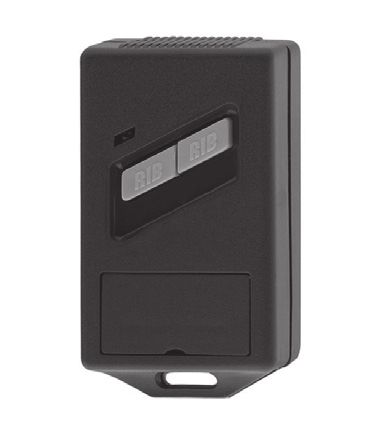
Notice RIB S433 ACG5083
Produits concernés
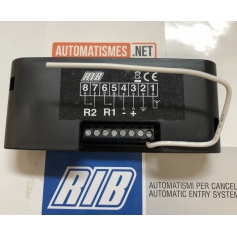
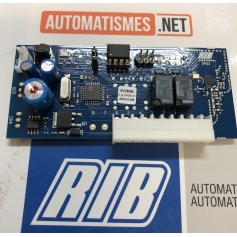
ATTENZIONE / ATTENTION / WARNING / ACHTUNG
ATTENZIONE (Italiano)
- LEGGERE E SEGUIRE TUTTE LE ISTRUZIONI.
- Tenete i comandi dell'automatismo (pulsantiera, telecomando etc.) fuori dalla portata dei bambini.
- Effettuare le operazioni di comando da punti ove l'automazione sia visibile.
- Utilizzare i telecomandi solo in vista dell'automazione.
- Questo libretto d'istruzioni è rivolto esclusivamente a del personale specializzato.
LA DITTA RIB NON ACCETTA NESSUNA RESPONSABILITÀ per eventuali danni provocati dalla mancata osservanza nell'installazione delle norme di sicurezza attualmente in vigore.
ATTENTION (Française)
- LIRE ET SUIVRE TOUTES LES INSTRUCTIONS.
- Gardez les commandes de l'automatisme (boutons poussoirs, telecommande etc.) hors de la portée des enfants.
- Il faut donner les commandes d'un lieu, où on peut voir l'automatisme.
- Il faut utiliser les émetteurs seulement si on voit le portail.
- Ce manuel d'instruction est adresse seulement au personnel specialisé.
L'enterprise R.I.B. n'accepte aucune responsabilité pour des dommages eventuels provoqués par le manque d'observation lors de l'installation des normes de securité actuellement en vigueur.
ATTENTION (English)
- READ AND FOLLOW ALL THE INSTRUCTIONS.
- Keep the automatism controls (push-button, remote control, etc) out of the reach of children.
- Command pulses must be given from sites, where You can see the gate.
- Use transmitters only if You can see the gate.
- This instruction booklet is for specialized personnel only.
R.I.B. accepts no responsibility for any damage caused by the safety regulations at present in force not being observed during installation.
ACHTUNG (Deutsch)
- LESEN UND BEFOLGEN SIE AUFMERKSAM ALLE ANWEISUNGEN.
- Bewahren Sie die Geräte für die automatische Steuerung (Drucktaster, Funksender, u.s.w.) an einem für Kinder unzugänglichen Platz auf.
- Die Betätigung der automatischen Steuerungs soll nur ausgeführt werden wenn die automatische Anlage sichtbar ist.
- Die Funksender nur inn den Fällen benützen wenn die automatische Anlage sichtbar ist.
- Diese Montageanweisung kann ausschließlich von der Fachleuten gebraucht werden.
Die Firma R.I.B. haftet nicht für eventuelle Schäden, die bei der Installation durch Nichtbeachtung der zur Zeit gültigen Sicherheitsvorschriften entstanden sind.
Modèles
- S433 1CH — cod. ACG5081 — c/m cod. ACG5082
- S433 2CH — cod. ACG5083 — c/m cod. ACG5084
- S433 4CH — cod. ACG5085 — c/m cod. ACG5086
Dichiarazione di conformità / Déclaration de conformité / Declaration of conformity / Konformitätserklärung
Dichiariamo sotto la nostra responsabilità che questo prodotto è conforme alle seguenti norme e Direttive:
Le fabricant certifie en engageant sa seule responsabilité que les produit est conforme aux Normes et Directives ci-dessous :
We declare, on our own responsibility, that this product comply with the following standards and Directives:
Wir erklären unter unserer Verantwortung, daß dieses Produkt mit den folgenden Standards und den Richtlinien übereinstimmen:
- EN 301 489-1 V2.1.1
- EN 301 489-3 V2.1.0
- EN 300 220-2 V3.1.1
- 2014/53/UE (RED)
(Bosio Stefano - Legal Representative) — Castenedolo, 01-03-2018
ITALIANO — Istruzioni per l'uso
S433 può memorizzare telecomandi a codice variabile:
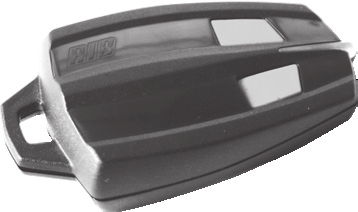
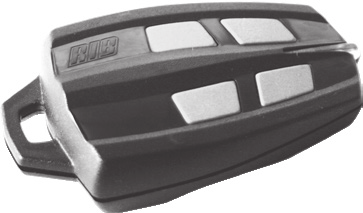
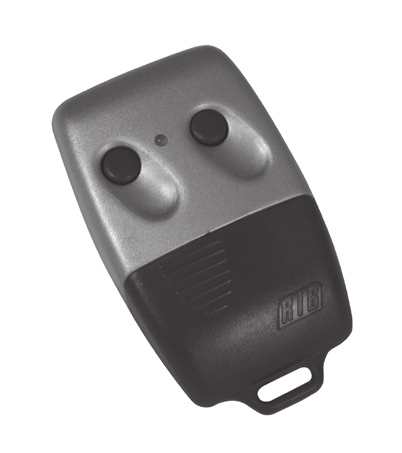
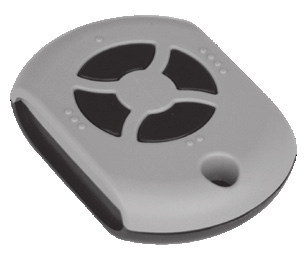
- SUN-PRO 2CH Bicanale - tasti ROSSI e led bianco cod. ACG6210
- SUN-PRO 4CH - tasti ROSSI e led bianco cod. ACG6214
- SUN-PROX 2 CH Bicanale - tasti ROSSI e led giallo cod. ACG6220
- SUN-PROX 4 CH Quadricanale - tasti ROSSI e led giallo cod. ACG6224
oppure telecomandi a codice fisso:
- SUN 2CH Bicanale - tasti BLU e led bianco cod. ACG6052
- SUN 4CH - tasti BLU e led bianco cod. ACG6054
- SUN CLONE 2 CH Bicanale - tasti BLU e led giallo cod. ACG6056
- SUN CLONE 4 CH Quadricanale - tasti BLU e led giallo cod. ACG6058
- MOON 2CH Bicanale - tasti NERI e led GIALLO cod. ACG6081
- MOON 4CH - tasti NERI e led GIALLO cod. ACG6082
ATTENZIONE: NON È POSSIBILE MEMORIZZARE CONTEMPORANEAMENTE TELECOMANDI CON CODICE FISSO E TELECOMANDI CON CODICE VARIABILE. IL PRIMO TELECOMANDO MEMORIZZATO VINCOLERÀ IL RICEVITORE A GESTIRE SOLO QUEL TIPO DI CODIFICA.
All'accensione del ricevitore il led bicolore DL1 si accende per 1 secondo segnalando la presenza dell'alimentazione. Se la memoria del ricevitore S433 è vuota il led bicolore DL1 (e DL2 se S433 4CH) lampeggia alternativamente verde e rosso. Se nella memoria ci sono già dei codici i led rimangono spenti (eseguire una cancellazione totale - vedi il paragrafo "procedura di cancellazione totale codici").
Programmazione telecomandi SUN e MOON a codice fisso su relè K1 (S433 1CH, 2CH, 4CH)
- Premere e mantenere premuto il pulsante PROG. per almeno 2 secondi. DL1 si accenderà rosso lampeggiando per 10 secondi.
- Durante questo tempo è sufficiente premere uno dei tasti sul telecomando SUN/MOON per memorizzare il codice.
Programmazione telecomandi SUN-PRO a codice variabile su relè K1 (S433 1CH, 2CH, 4CH)
A condizione che la memoria del ricevitore S433 sia vuota e quindi con led bicolore DL1 (e DL2 se S433 4CH) che lampeggia alternativamente verde e rosso.
- Premere il pulsantino PROG => il led bicolore DL1 si attiva rosso lampeggiando per 10 secondi.
- Durante questo tempo è sufficiente premere uno dei tasti sul telecomando per memorizzare il codice.
- S433 oltre al codice apprende anche il canale che si vuole utilizzare. Fate quindi attenzione al pulsante del telecomando che premete durante la procedura di apprendimento dei codici perché sarà quello che in seguito attiverà il relè K1.
- La corretta memorizzazione del codice è visualizzata dal led verde che si accende per 500ms.
- Dopo avere appreso il primo codice/telecomando, il tempo utile per l'apprendimento si rinnova di altri 10 secondi e si possono memorizzare altri codici/telecomandi premendo loro il tasto voluto.
- Per terminare la procedura di apprendimento codici è sufficiente lasciare trascorrere 10 secondi fino allo spegnimento del led rosso. In alternativa potete premere per un istante il pulsantino a bordo ricevitore ed anche in questo caso il led rosso si spegne per segnalare la fine della procedura di memorizzazione.
- Se non viene inviato alcun codice, dopo 10 secondi il led bicolore DL1 rosso del ricevitore si spegne segnalando l'uscita dalla procedura di programmazione. Il led bicolore DL1 si attiva lampeggiando alternativamente rosso verde segnalando l'assenza di codici in memoria.
Verifica funzionamento
Finita la programmazione, con i led spenti, il ricevitore è pronto a ricevere i codici dei telecomandi memorizzati. Premete il tasto di un telecomando memorizzato precedentemente. Il led bicolore DL1 sul ricevitore si accende verde per un attimo segnalando il riconoscimento di un codice valido. Nello stesso istante il relè K1 a bordo ricevitore si attiva chiudendo il contatto che comanda l'automazione.
Nota: Se premendo un tasto del telecomando il led bicolore DL1 si accende rosso per un attimo, questo significa che il tasto/codice non è presente in memoria e che dovete pertanto eseguire la procedura di memorizzazione dal punto 1.
Memorizzazione codici FISSI o VARIABILI su relè K2, K3, K4 di S433 2CH e 4CH
È possibile scegliere quale dei 2/4 relè attivare e con quali tasti del/dei telecomando.
- Premere il pulsantino PROG (almeno per 2 secondi per i SUN a codice fisso) => selezionato K1. Il led bicolore DL1 si attiva rosso lampeggiando.
- Premere nuovamente il pulsantino PROG => selezionato K2. Il led bicolore DL1 rosso si spegne e si attiva lampeggiando il led bicolore DL1 verde per 10 secondi segnalando che i codici che verranno memorizzati saranno associati al funzionamento del relè K2. Durante questo tempo è sufficiente premere uno dei tasti sul telecomando per memorizzare il codice.
- Premere nuovamente il pulsantino PROG => selezionato K3. Il led DL1 verde si spegne e si attiva lampeggiando il led DL2 rosso per 10 secondi (associati al relè K3).
- Premere nuovamente il pulsantino PROG => selezionato K4. Il led DL2 rosso si spegne e si accende lampeggiando il led DL2 verde per 10 secondi (associati al relè K4).
Nota: Se premendo un tasto del telecomando il led bicolore DL1 (e DL2 se S433 4CH) si accende rosso per un attimo, significa che il tasto/codice non è presente in memoria; eseguire la procedura di memorizzazione dal punto 1.
Procedura di cancellazione totale dei codici
- Posizionare il jumper TD come indicato.
- Premere e rilasciare il pulsantino PROG. La conferma dell'avvenuta cancellazione totale dei codici è data dall'accensione del led DL1 (e DL2 se S433 4CH) rosso per 8 sec. che poi rimane spento.
- Rimettere il jumper TD in posizione di default. Il led bicolore DL1 (e DL2 se S433 4CH) si accendono alternativamente rosso verde segnalando lo stato di memoria vuota.
Fidelizzazione (opzionale)
S433 può essere fidelizzato con il PROGRAMMATORE ACG4672. La fidelizzazione blocca ogni procedura di memorizzazione e cancellazione che può essere abilitata solo tramite PROGRAMMATORE.
Procedura di memorizzazione codice a distanza
Per poter memorizzare un telecomando a distanza, S433 non deve essere fidelizzato ed è obbligatorio avere a disposizione almeno un telecomando già programmato ed un telecomando da programmare.
ATTENZIONE: I telecomandi SUN/MOON a codice fisso possono essere utilizzati per attivare questa procedura ad eccezione dei SUN CLONE. I SUN CLONE possono essere memorizzati, ma non possono essere utilizzati per attivare la memorizzazione a distanza.
- Posizionarsi nelle immediate vicinanze del ricevitore radio.
- Premete il tasto B di un telecomando valido e poi rilasciatelo. Entro 2 secondi premete il tasto A del telecomando valido tenendolo premuto per almeno 7 secondi, quindi rilasciatelo.
- Entro 10 secondi premere il tasto del telecomando che si vuole memorizzare.
- Dopo questa prima memorizzazione il tempo si rinnova per altri 10 secondi ed è quindi possibile memorizzare altri telecomandi. È importante che tra una memorizzazione e l'altra passino almeno 2 secondi.
- Dopo l'ultima memorizzazione attendere 10 secondi (uscita automatica dalla procedura) e poi attivare i nuovi telecomandi premendo due volte il tasto memorizzato in precedenza.
- In caso di mancato funzionamento, ripetere la procedura.
Segnalazione memoria satura
Se premendo il pulsantino PROG il led bicolore DL1 (e DL2 se S433 4CH) lampeggia per 6 volte, vuol dire che la memoria è piena (max 1000 codici).
Procedura per modificare funzionamento relè da impulsivo a bistabile
- S433 1CH = relé K1
- S433 2CH = relé K1 e K2
- S433 4CH = relé K1 e K2 (K3 e K4 rimangono impulsivi)
- Programmare i telecomandi.
- Per abbinare il tasto del SUN al relè che deve funzionare in modalità bistabile (per esempio K1):
- Attivare la programmazione premendo per un attimo il pulsante PROG del ricevitore. Il led bicolore DL1 lampeggerà rosso per 10 secondi.
- Durante questi 10 secondi, premere e mantenere premuto il pulsante PROG del ricevitore e contemporaneamente, entro 10 secondi, premere e rilasciare il tasto A del telecomando.
- Ricevuto il segnale radio, il led DL1 rosso da lampeggiante si accende fisso segnalando l'attivazione della modalità bistabile per il relè K1 comandato dal tasto A.
- Rilasciare il pulsante PROG del ricevitore.
- Attendere lo spegnimento del led bicolore rosso.
- Verificare il corretto funzionamento bistabile.
- Successivamente, solo per S433 2CH e 4CH, per il relè K2:
- Attivare la programmazione premendo per un attimo PROG. Il led lampeggerà rosso.
- Premere una seconda volta PROG. Il led lampeggerà verde.
- Entro 10 secondi premere e mantenere premuto PROG e contemporaneamente premere e rilasciare il tasto B del telecomando.
- Ricevuto il segnale radio, il led verde da lampeggiante si accende fisso (modalità bistabile relè K2, tasto B).
- Rilasciare PROG.
- Attendere lo spegnimento del led bicolore verde.
- Verificare il corretto funzionamento bistabile.
- Opzioni di procedura attivazione:
- Se durante la procedura si preme erroneamente un tasto non memorizzato, nessuna segnalazione viene data e dopo 10 secondi il led DL1 si spegne.
- Se il tasto premuto risulta presente in memoria abbinato al relè che si vuole comandare, l'attivazione bistabile viene eseguita correttamente, in caso contrario il sistema rimane impulsivo.
- Procedura di verifica attivazione del ricevitore:
- Premo PROG: si accende rosso fisso (relè K1 bistabile).
- Premo una seconda volta PROG: il led verde si accende fisso (relè K2 bistabile).
- Nota 1: È possibile rendere bistabili solo i relé K1 e K2.
- Nota 2: Tramite PROGRAMMATORE ACG4672 non è possibile modificare il tipo di attivazione.
Procedura per modificare funzionamento relè K1 da bistabile ad impulsivo
- Attivare la programmazione premendo per un attimo il pulsante PROG. Il led bicolore DL1 si accende rosso fisso.
- Durante i 10 secondi che il led DL1 è acceso rosso fisso, premere e mantenere premuto PROG e contemporaneamente, entro 10 secondi, premere e rilasciare il tasto "A" del telecomando.
- Ricevuto il segnale radio, il led DL1 rosso da acceso fisso inizia a lampeggiare segnalando l'attivazione della modalità impulsiva per il relè K1.
- Rilasciare PROG.
- Attendere lo spegnimento del led bicolore rosso.
- Verificare il corretto funzionamento impulsivo.
Procedura per modificare funzionamento relè K2 da bistabile ad impulsivo
- Attivare la programmazione premendo per un attimo PROG. Il led DL1 si accende rosso fisso.
- Ripremere PROG. Il led DL1 si accende verde fisso.
- Durante i 10 secondi che il led DL1 è acceso verde fisso, premere e mantenere premuto PROG e contemporaneamente premere e rilasciare il tasto "B".
- Ricevuto il segnale radio, il led DL1 verde da acceso fisso inizia a lampeggiare (modalità impulsiva relè K2).
- Rilasciare PROG.
- Attendere lo spegnimento del led bicolore verde.
- Verificare il corretto funzionamento impulsivo.
Segnalazioni dei led bicolori DL1 e DL2 per le 2 modalità
| Stato | LED DL1 bicolore | LED DL2 bicolore (solo S433 2CH-4CH) |
|---|---|---|
| Nessun codice radio in memoria | Lampeggia rosso/verde sempre | Lampeggia rosso/verde sempre |
| Procedura apprendimento tasto telecomando abbinato a relè K1 | Lampeggia rosso per 10 secondi | |
| Codice radio memorizzato (K1) | Emette un lampeggio verde | |
| Procedura apprendimento abbinato a relè K2 | Lampeggia verde per 10 secondi | |
| Codice radio memorizzato (K2) | Emette 1 lampeggio rosso | |
| Procedura apprendimento abbinato a relè K3 | Lampeggia rosso per 10 secondi | |
| Codice radio memorizzato (K3) | Emette 1 lampeggio verde | |
| Procedura apprendimento abbinato a relè K4 | Lampeggia verde per 10 secondi | |
| Codice radio memorizzato (K4) | Emette 1 lampeggio rosso | |
| Segnale valido | Acceso verde all'impulso | Acceso verde all'impulso |
| Segnale non valido | Acceso rosso all'impulso | Acceso rosso all'impulso |
| Cancellazione totale con jumper chiuso e pressione momentanea del pulsante | Acceso rosso per 2 secondi. All'apertura del jumper lampeggia rosso/verde | Acceso rosso per 2 secondi. All'apertura del jumper lampeggia rosso/verde |
| Stato | LED DL1 bicolore | LED DL2 bicolore |
|---|---|---|
| Procedura attivazione relè K1 bistabile (codice ricevuto con PROG premuto) | Si accende rosso fino al rilascio del pulsante PROG | |
| Apprendimento dopo aver abilitato la funzione bistabile su relè K1 | Si accende arancio per 10 secondi, poi ridiventa rosso | |
| Memorizzazione tasto con relé K1 abilitato bistabile | Led acceso arancione; alla ricezione si spegne, poi verde, quindi ancora arancio | |
| Procedura attivazione relè K2 bistabile (codice ricevuto con PROG premuto) | Si accende verde fino al rilascio del pulsante PROG | |
| Apprendimento dopo aver abilitato la funzione bistabile su relè K2 | Si accende arancio per 10 secondi, poi ridiventa verde | |
| Memorizzazione tasto con relé K2 abilitato bistabile | Led acceso arancione; alla ricezione si spegne, poi rosso, quindi ancora arancio | |
| Relè K1 bistabile attivato | Acceso rosso | |
| Relè K2 bistabile attivato | Acceso verde | |
| Relè K1 e K2 bistabili attivi (PROG più volte) | Acceso arancione | |
| Codice non valido con S433 1CH e relè K1 attivo | Si spegne all'impulso | |
| Codice non valido con S433 2CH e relé K2 attivo | Si spegne all'impulso | |
| Codice non valido con S433 4CH e relè K2 attivo | Si spegne all'impulso | Si accende rosso all'impulso |
| Codice valido per relè K1 con S433 1CH | Acceso rosso | |
| Codice valido per relè K2 con S433 2CH e relé K1 bistabile | Acceso rosso; all'impulso si spegne, si riaccende verde, poi rosso | |
| Codice valido per relè K1 con S433 2CH e relé K2 bistabile | Acceso verde; si spegne all'impulso | |
| Codice valido per relè K2-K3-K4 con S433 4CH e relé K1 bistabile | Acceso rosso; all'impulso si spegne, si riaccende verde, poi rosso | Si accende verde all'impulso |
| Codice valido per relè K1-K3-K4 con S433 4CH e relé K2 bistabile | Acceso verde; si spegne all'impulso | Si accende verde all'impulso |
| Codice valido per relè K3-K4 con S433 4CH e relé K1 e K2 bistabili | Acceso arancione; all'impulso si accende verde, poi ritorna arancione | Si accende verde all'impulso |
| Cancellazione totale con jumper chiuso e pressione momentanea del pulsante | Acceso rosso per 2 secondi. All'apertura del jumper lampeggia rosso/verde | Acceso rosso per 2 secondi. All'apertura del jumper lampeggia rosso/verde |
FRANÇAISE — Instructions pour l'utilisation
S433 peut mémoriser des télécommandes à code variable :
- SUN-PRO 2CH Bicanal - touches ROUGES / led blanche cod. ACG6210
- SUN-PRO 4CH – touches ROUGES et led blanche cod. ACG6214
- SUN-PROX 2 CH Bicanal - touches ROUGES / led jaune cod. ACG6220
- SUN-PROX 4 CH 4-canal - touches ROUGES / led jaune cod. ACG6224
ou des télécommandes à code fixe :
- SUN 2CH Bicanal – touches BLEUES et led blanche cod. ACG6052
- SUN 4CH 4-canal - touches BLEUES et led blanche cod. ACG6054
- SUN CLONE 2 CH Bicanal - touches BLEUES / led jaune cod. ACG6056
- SUN CLONE 4 CH 4-canal - touches BLEUES / led jaune cod. ACG6058
- MOON 2CH Bicanal - touches NOIRES et led JAUNE cod. ACG6081
- MOON 4CH 4-canal - touches NOIRES et led JAUNE cod. ACG6082
ATTENTION : IL EST IMPOSSIBLE DE MÉMORISER SIMULTANÉMENT DES TÉLÉCOMMANDES À CODE FIXE ET DES TÉLÉCOMMANDES À CODE VARIABLE. LA PREMIÈRE TÉLÉCOMMANDE MÉMORISÉE OBLIGERA LE RÉCEPTEUR À PRENDRE UNIQUEMENT EN CHARGE CE TYPE DE CODIFICATION.
À l'allumage du récepteur, la led bicolore DL1 s'allume pendant 1 seconde, ce qui signale la présence de l'alimentation. Si la mémoire du récepteur S433 est vide, la led bicolore DL1 (et DL2 pour le récepteur S433 4CH) clignote tantôt en vert tantôt en rouge. Si la mémoire contient déjà des codes, les led restes éteintes (effectuer une suppression totale – voir le paragraphe « procédure de suppression totale des codes »).
Programmation des télécommandes SUN et MOON à code fixe sur le relais K1 (S433 1CH, 2CH, 4CH)
- Appuyer sur le bouton PROG. et le maintenir enfoncé pendant au moins 2 secondes. DL1 s'allumera en rouge et clignotera pendant 10 secondes.
- Pendant cette période, il suffit d'appuyer sur l'une des touches de la télécommande SUN/MOON pour mémoriser le code.
Programmation des télécommandes SUN-PRO à code variable sur le relais K1 (S433 1CH, 2CH, 4CH)
À condition que la mémoire du récepteur S433 soit vide et que la led bicolore DL1 (et DL2 pour le récepteur S433 4CH) clignote tantôt en vert tantôt en rouge.
- Appuyer sur le bouton PROG => la led bicolore DL1 s'allume en rouge et clignote pendant 10 secondes.
- Pendant cette période, il suffit d'appuyer sur l'une des touches de la télécommande pour mémoriser le code.
- Outre l'apprentissage du code, S433 mémorise également le canal que l'on entend utiliser. Rester donc attentif au bouton de la télécommande sur lequel vous appuyez pendant la procédure d'apprentissage des codes car c'est ce même bouton qui activera ensuite le relais K1.
- La bonne mémorisation du code se traduit par la led verte qui s'allume pendant 500 ms.
- Après avoir appris le premier code/télécommande, le temps utile redémarre une nouvelle durée de 10 secondes, permettant de mémoriser d'autres codes/télécommandes en appuyant sur la touche souhaitée.
- Pour terminer la procédure d'apprentissage des codes, il suffit de laisser s'écouler 10 secondes jusqu'à l'extinction de la led rouge. Sinon, vous pouvez appuyer pendant un moment sur la touche située sur le récepteur ; dans ce cas aussi, la led rouge s'éteint pour signaler la fin de la procédure.
- Si aucun code n'est envoyé, la led bicolore DL1 rouge du récepteur s'éteint au bout de 10 secondes pour signaler la sortie de la procédure de programmation. La led bicolore DL1 s'active en clignotant tantôt en rouge tantôt en vert pour signaler l'absence de code dans la mémoire.
Vérification du fonctionnement
Une fois la programmation terminée, avec les leds éteintes, le récepteur est prêt à recevoir les codes des télécommandes mémorisés. Appuyer sur la touche d'une télécommande précédemment mémorisée. La led bicolore DL1 s'allume en vert pendant un moment, ce qui indique qu'elle reconnaît un code valide. Au même moment, le relais K1 s'active en fermant le contact qui commande l'automatisme.
Observation : Si la led bicolore DL1 s'allume en rouge pendant un moment, cela signifie que la touche/code n'est pas contenu dans la mémoire ; effectuer la procédure de mémorisation décrite au point 1.
Mémorisation des codes FIXES ou VARIABLES sur les relais K2, K3, K4 de S433 2CH et 4CH
Il est possible de choisir parmi les 2-4 relais, celui à activer ainsi que les touches de la ou des télécommandes.
- Appuyer sur le bouton PROG (pendant au moins 2 secondes pour les SUN à code fixe) => K1 sélectionné. La led bicolore DL1 s'active en rouge en clignotant.
- Appuyer à nouveau sur PROG => K2 sélectionné. La led rouge DL1 s'éteint et la led verte DL1 clignote pendant 10 secondes (codes associés au relais K2).
- Appuyer à nouveau sur PROG => K3 sélectionné. La led verte DL1 s'éteint et la led rouge DL2 clignote pendant 10 secondes (codes associés au relais K3).
- Appuyer à nouveau sur PROG => K4 sélectionné. La led rouge DL2 s'éteint et la led verte DL2 clignote pendant 10 secondes (codes associés au relais K4).
Observation : Si la led bicolore DL1 (et DL2 pour S433 4CH) s'allume en rouge, la touche/code n'est pas en mémoire ; effectuer la procédure de mémorisation au point 1.
Procédure de suppression totale des codes
- Positionner le cavalier TD, tel qu'indiqué.
- Appuyer sur le bouton PROG puis le relâcher. La confirmation est signalée par l'allumage de la led DL1 (et DL2 pour le récepteur quadricanal) en rouge pendant 8 sec, qui reste ensuite éteinte.
- Repositionner le cavalier TD dans sa position par défaut. La led bicolore DL1 (et DL2) s'allume tantôt en rouge tantôt en vert pour signaler que la mémoire est vide.
Fidélisation (en option)
S433 peut être fidélisé avec le PROGRAMMATEUR ACG4672. La fidélisation bloque toute procédure de mémorisation et de suppression pouvant uniquement être activée par le biais du PROGRAMMATEUR.
Procédure de mémorisation du code à distance
Pour pouvoir mémoriser une télécommande à distance, S433 ne doit pas être fidélisé et il est obligatoire d'avoir au moins une télécommande déjà programmée et une télécommande à programmer.
ATTENTION : Les télécommandes SUN/MOON à code fixe peuvent être utilisées pour activer cette procédure, sauf les télécommandes SUN CLONE. Ces dernières peuvent être mémorisées, mais ne peuvent pas être utilisées pour activer la mémorisation à distance.
- Se placer le plus près possible du récepteur radio.
- Appuyer sur la touche B d'une télécommande valide, puis la relâcher. Vous avez 2 secondes pour appuyer sur la touche A de la télécommande valide et la maintenir enfoncée pendant au moins 7 secondes puis la relâcher.
- Vous disposez de 10 secondes pour appuyer sur la touche de la télécommande que vous souhaitez mémoriser.
- Après cette première mémorisation, le temps redémarre une nouvelle durée de 10 secondes. Il est important de laisser s'écouler au moins 2 secondes entre une mémorisation et l'autre.
- Après la dernière mémorisation, patientez pendant 10 secondes (sortie automatique) puis activer les nouvelles télécommandes en appuyant deux fois sur le bouton mémorisé auparavant.
- Si elles n'activent pas la porte, répéter la procédure.
Signalisation de mémoire saturée
En appuyant sur la touche PROG, si la led bicolore DL1 (et DL2 pour S433 4CH) clignote 6 fois, cela signifie que la mémoire est pleine (capacité max. de 1000 codes).
Procédure pour modifier le fonctionnement relais de impulsif à bistable
- S433 1CH = relais K1
- S433 2CH = relais K1 et K2
- S433 4CH = relais K1 et K2 (K3 et K4 restent impulsifs)
- Programmer les télécommandes.
- Pour associer la touche du SUN au relais bistable (K1 par exemple) :
- Activer la programmation en appuyant un instant sur PROG. Le led bicolore DL1 clignotera en rouge pendant 10 secondes.
- Durant ces 10 secondes, appuyer et maintenir PROG et, dans le même temps, appuyer et relâcher la touche A de la télécommande avant 10 secondes.
- Une fois le signal radio reçu, le led DL1 rouge passe de clignotant à fixe (activation bistable relais K1, touche A).
- Relâcher PROG.
- Attendre l'extinction du led bicolore rouge.
- Vérifier le bon fonctionnement bistable.
- Successivement, uniquement pour S433 2CH et 4CH, pour le relais K2 :
- Activer la programmation en appuyant un instant sur PROG. Le led clignotera en rouge.
- Appuyer une deuxième fois sur PROG. Le led clignotera en vert.
- Avant 10 secondes, appuyer et maintenir PROG et, dans le même temps, appuyer et relâcher la touche B de la télécommande.
- Une fois le signal radio reçu, le led vert passe de clignotant à fixe (activation bistable relais K2, touche B).
- Relâcher PROG.
- Attendre l'extinction du led bicolore vert.
- Vérifier le bon fonctionnement bistable.
- Options de procédure activation :
- Si on appuie involontairement sur une touche non mémorisée, aucune signalisation n'est donnée et le led bicolore DL1 s'éteint après 10 secondes.
- Si la touche pressée est présente en mémoire et associée au relais désiré, l'activation bistable s'effectue correctement ; sinon, le système reste impulsif.
- Procédure de vérification activation du récepteur :
- Appuyer sur PROG : s'allume en rouge fixe (relais K1 en mode bistable).
- Appuyer une deuxième fois sur PROG : le led vert s'allume fixe (relais K2 en mode bistable).
- Note 1 : Il n'est possible de rendre bistables que les relais K1 et K2.
- Note 2 : Via PROGRAMMEUR ACG4672, il n'est pas possible de modifier le type d'activation.
Procédure pour modifier le fonctionnement relais K1 de bistable à impulsif
- Activer la programmation en appuyant un instant sur PROG. Le led bicolore DL1 s'allume en rouge fixe.
- Durant les 10 secondes où le led DL1 est allumé fixe, appuyer et maintenir PROG et, dans le même temps, appuyer et relâcher la touche A de la télécommande avant 10 secondes.
- Une fois le signal radio reçu, le led DL1 rouge passe de fixe à clignotant (activation impulsive relais K1).
- Relâcher PROG.
- Attendre l'extinction du led bicolore rouge.
- Vérifier le bon fonctionnement impulsif.
Procédure pour modifier le fonctionnement relais K2 de bistable à impulsif
- Activer la programmation en appuyant un instant sur PROG. Le led bicolore DL1 s'allume en rouge fixe.
- Presser à nouveau PROG. Le led bicolore DL1 s'allume en vert fixe.
- Durant les 10 secondes où le led DL1 reste allumé fixe, appuyer et maintenir PROG et, dans le même temps, appuyer et relâcher la touche B de la télécommande.
- Une fois le signal radio reçu, le led DL1 passe de fixe à clignotant (activation impulsive relais K2).
- Relâcher PROG.
- Attendre l'extinction du led bicolore vert.
- Vérifier le bon fonctionnement impulsif.
Signalisations des led bicolores DL1 et DL2 pour les 2 modalités
| État | LED DL1 bicolore | LED DL2 bicolore (uniquement S433 2CH-4CH) |
|---|---|---|
| Aucun code radio en mémoire | Clignote toujours en rouge/vert | Clignote toujours en rouge/vert |
| Apprentissage touche associée à relais K1 | Clignote en rouge pendant 10 secondes | |
| Code radio mémorisé (K1) | Clignote en vert | |
| Apprentissage touche associée à relais K2 | Clignote en vert pendant 10 secondes | |
| Code radio mémorisé (K2) | Clignote en rouge | |
| Apprentissage touche associée à relais K3 | Clignote en rouge pendant 10 secondes | |
| Code radio mémorisé (K3) | Clignote en vert | |
| Apprentissage touche associée à relais K4 | Clignote en vert pendant 10 secondes | |
| Code radio mémorisé (K4) | Clignote en rouge | |
| Signal valable | Allumé en vert à l'impulsion | Allumé en vert à l'impulsion |
| Signal non valable | Allumé en rouge à l'impulsion | Allumé en rouge à l'impulsion |
| Effacement total avec jumper fermé et pression momentanée de la touche | Allumé en rouge pendant 2 secondes. À l'ouverture du jumper, clignote en rouge/vert | Allumé en rouge pendant 2 secondes. À l'ouverture du jumper, clignote en rouge/vert |
| État | LED DL1 bicolore | LED DL2 bicolore |
|---|---|---|
| Activation relais K1 bistable (code reçu avec PROG pressée) | S'allume en rouge jusqu'au relâchement de PROG | |
| Apprentissage après activation fonction bistable sur relais K1 | S'allume en orange pendant 10 secondes puis redevient rouge | |
| Mémorisation touche avec relais K1 activé bistable | Led allumé orange ; à réception il s'éteint puis vert puis orange | |
| Activation relais K2 bistable (code reçu avec PROG pressée) | S'allume en vert jusqu'au relâchement de PROG | |
| Apprentissage après activation fonction bistable sur relais K2 | S'allume en orange pendant 10 secondes puis redevient vert | |
| Mémorisation touche avec relais K2 activé bistable | Led allumé orange ; à réception il s'éteint puis rouge puis orange | |
| Relais K1 activé bistable | Allumé rouge | |
| Relais K2 activé bistable | Allumé vert | |
| Relais K1 et K2 actifs bistables (PROG plusieurs fois) | Allumé orange | |
| Code non valable S433 1CH, relais K1 actif | S'éteint à l'impulsion | |
| Code non valable S433 2CH, relais K2 actif | S'éteint à l'impulsion | |
| Code non valable S433 4CH, relais K2 actif | S'éteint à l'impulsion | S'allume en rouge à l'impulsion |
| Code valable relais K1 avec S433 1CH | Allumé rouge | |
| Code valable relais K2 avec S433 2CH et relais K1 bistable | Allumé rouge ; s'éteint à l'impulsion, se rallume en vert puis devient rouge | |
| Code valable relais K1 avec S433 2CH et relais K2 bistable | Allumé vert ; s'éteint à l'impulsion | |
| Code valable relais K2-K3-K4 avec S433 4CH et relais K1 bistable | Allumé rouge ; s'éteint à l'impulsion, se rallume en vert puis devient rouge | S'allume en vert à l'impulsion |
| Code valable relais K1-K3-K4 avec S433 4CH et relais K2 bistable | Allumé vert ; s'éteint à l'impulsion | S'allume en vert à l'impulsion |
| Code valable relais K3-K4 avec S433 4CH et relais K1 et K2 bistables | Allumé orange ; s'allume en vert à l'impulsion puis retourne en orange | S'allume en vert à l'impulsion |
| Effacement total avec jumper fermé et pression momentanée | Allumé en rouge pendant 2 secondes. À l'ouverture du jumper, clignote rouge/vert | Allumé en rouge pendant 2 secondes. À l'ouverture du jumper, clignote rouge/vert |
ENGLISH — Operating instructions
S433 can memorize remote controls with variable codes:
- SUN-PRO 2 CH - RED buttons & white led display code ACG6210
- SUN-PRO 4 CH - RED buttons & white led display code ACG6214
- SUN-PROX 2 CH - RED buttons & yellow led display code ACG6220
- SUN-PROX 4 CH - RED buttons & yellow led display code ACG6224
or with fixed codes:
- SUN 2 CH - BLUE buttons & white led display code ACG6052
- SUN 4 CH - BLUE buttons & white led display code ACG6054
- SUN CLONE 2 CH - BLUE buttons & yellow led display code ACG6056
- SUN CLONE 4 CH - BLUE buttons & yellow led display code ACG6058
- MOON 2 CH - BLACK buttons & yellow led display code ACG6081
- MOON 4 CH - BLACK buttons & yellow led display code ACG6082
WARNING: YOU CANNOT MEMORIZE SIMULTANEOUSLY REMOTE CONTROLS WITH FIXED CODES AND REMOTE CONTROLS WITH VARIABLE CODES. THE REMOTE CONTROL THAT IS MEMORIZED FIRST WILL FORCE THE RECEIVER TO HANDLE ONLY ITS ENCODING TYPE.
When the receiver is turned on, the DL1 bicolor led display lights up for 1 second to show that power is on. If the memory of receiver S433 is empty the DL1 bicolor led display (and the DL2 if S433 4 CH) flashes alternatively green and red. If there are already codes in the memory, the led displays stay off (do a total deletion - see paragraph "total code deletion procedure").
Programming fixed code SUN and MOON remote controls on relay K1 (S433 1CH, 2CH, 4CH)
- Press and hold PROG for at least 2 seconds. DL1 will flash red for 10 seconds.
- During this time, just press one of the buttons on the SUN/MOON remote control to memorize the code.
Programming variable code SUN-PRO remote controls on relay K1 (S433 1CH, 2CH, 4CH)
The memory of receiver S433 must be empty, with the DL1 bicolor led display (and the DL2 if S433 4 CH) flashing alternatively green and red.
- Press PROG => the DL1 bicolor led display will flash red for 10 seconds.
- During this time, just press one of the buttons on the remote control to memorize the code.
- In addition to the code, S433 can memorize the channel you want to use. Pay attention which remote control button you press during the code memorization procedure, because that button will subsequently activate relay K1.
- When the code is memorized correctly, the green led display will turn on for 500 ms.
- After memorizing the first code/remote control, you have 10 seconds each time to memorize other codes/remote controls.
- To end the code memorization procedure, just let 10 seconds elapse until the red led turns off. Alternatively, press the receiver button.
- If no code is sent, after 10 seconds the red DL1 bicolor led display will turn off to show you have exited the programming procedure. It will then flash alternatively green and red to show there are no codes in the memory.
Check operation
After programming, with the led displays turned off, the receiver is ready to receive the codes. Press the button of a previously memorized remote control. The DL1 bicolor led display lights up green for a moment to show the code is valid; at the same time relay K1 closes the contact that controls the automation.
Note: If when you press a remote button the DL1 led lights up red for a moment, the button/code is not in the memory; do the memorization procedure from step 1.
Memorization of FIXED or VARIABLE codes on the relays K2, K3, K4 (S433 2CH and 4CH)
- Press PROG (at least 2 seconds for fixed code SUN remote controls) => K1 is selected. DL1 flashes red.
- Press PROG again => K2 is selected. Red DL1 turns off and green DL1 flashes for 10 seconds (codes associated with relay K2).
- Press PROG again => K3 is selected. Green DL1 turns off and red DL2 flashes for 10 seconds (codes associated with relay K3).
- Press PROG again => K4 is selected. Red DL2 turns off and green DL2 flashes for 10 seconds (codes associated with relay K4).
Note: If the DL1 (and DL2 if S433 4CH) lights up red, the button/code is not in memory; do the memorization procedure from step 1.
Total code deletion procedure
- Place the TD jumper as shown.
- Press and release PROG. Confirmed by the DL1 led (and DL2 if 4 CH) lighting up red for 8 sec. and then turning off.
- Put the TD jumper back in its default position. The DL1 led (and DL2 if 4 CH) will light up alternatively red and green to show the memory is empty.
Locking (optional)
S433 can be locked with PROGRAMMER ACG4672. Locking blocks all memorization and deletion procedures, which can be enabled only through PROGRAMMER.
Remote code memorization procedure
To memorize remote controls remotely, S433 must not be locked and you must have at least one remote control that has already been programmed and one to program.
WARNING: Fixed code SUN/MOON remote controls can be used to activate this procedure except for the SUN CLONE types. The SUN CLONE types can be memorized, but cannot be used to activate remote memorization.
- Position yourself right next to the radio receiver.
- Press button B of a valid remote control and then release. Press button A of the valid remote control within 2 seconds, hold for at least 7 seconds, then release.
- Press the button of the remote control you wish to memorize within 10 seconds.
- After this first memorization, you will have 10 more seconds for each additional remote control. At least 2 seconds must elapse after each memorization.
- After the last memorization, wait 10 seconds (you will exit automatically) and then activate the new remotes pressing twice the button you have memorized before.
- If they don't activate the gate, repeat the procedure.
Memory full
If when pressing PROG the DL1 led (and DL2 if S433 4CH) flashes 6 times, the memory is full (1000 codes max).
Procedure for changing the operation of relay from pulse mode to bistable
- S433 1CH = relay K1
- S433 2CH = relay K1 and K2
- S433 4CH = relay K1 and K2 (K3 and K4 remain in the pulse mode)
- To programme the remote controls.
- To match the SUN key to the relay that needs to work in bistable mode (for example K1):
- Activate programming by pressing for a while the PROG key. The two-tone LED DL1 will blink red for 10 seconds.
- During these 10 seconds, press and hold PROG and simultaneously, within 10 seconds, press and release key A of the remote control.
- Once received the radio signal, the red LED DL1 turns ON fixed (bistable mode for relay K1, key A).
- Release PROG.
- Wait until the two-tone red LED turns OFF.
- Check the correct bistable operation.
- Thereafter, only for S433 2CH and 4CH, for relay K2:
- Activate programming by pressing for a while PROG. The LED will blink red.
- Press again PROG. The LED will blink green.
- Within 10 seconds, press and hold PROG and simultaneously press and release key B of the remote control.
- Once received the radio signal, the green LED turns ON fixed (bistable mode for relay K2, key B).
- Release PROG.
- Wait until the two-tone green LED turns OFF.
- Check the correct bistable operation.
- Activation procedure options:
- If a key not stored is pressed erroneously, no indication is given and after 10 seconds the two-tone LED DL1 turns OFF.
- If the pressed key is stored and matched to the relay to control, the bistable activation is successful, otherwise the system remains in pulse mode.
- Checking procedure for the activation of the receiver:
- Press PROG. It turns ON fixed red (K1 relay in bistable mode).
- Press a second time PROG, the green LED turns ON fixed (K2 relay in bistable mode).
- Note 1: It is possible to make bistable only relay K1 and K2.
- Note 2: By means of PROGRAMMER ACG4672 it is not possible to change the type of activation.
Procedure for changing the operation of relay K1 from bistable to pulse mode
- Activate programming by pressing for a while PROG. The two-tone DL1 LED turns ON fixed red.
- During the 10 seconds that DL1 is fixed ON red, press and hold PROG and simultaneously, within 10 seconds, press and release key "A".
- Once received the radio signal, the red DL1 LED starts blinking (pulse mode for relay K1).
- Release PROG.
- Wait until the two-tone red LED turns OFF.
- Check the correct operation of the pulse mode.
Procedure for changing the operation of relay K2 from bistable to pulse mode
- Activate programming by pressing for a while PROG. The two-tone DL1 LED turns ON fixed red.
- Press once again PROG. The two-tone DL1 LED turns ON fixed (green).
- During the 10 seconds that DL1 is fixed ON green, press and hold PROG and simultaneously press and release key "B".
- Once received the radio signal, the green DL1 LED starts blinking (pulse mode for relay K2).
- Release PROG.
- Wait until the two-tone green LED turns OFF.
- Check the correct operation of the pulse mode.
Signals of two-tone LEDs DL1 and DL2 for the 2 modes
| State | Two-tone LED DL1 | Two-tone LED DL2 (only S433 2CH-4CH) |
|---|---|---|
| No radio code in memory | Always blinks red/green | Always blinks red/green |
| Learning key combined to K1 relay | Blinks red for 10 seconds | |
| Radio code stored (K1) | Emits a green blink | |
| Learning key combined to K2 relay | Blinks green for 10 seconds | |
| Radio code stored (K2) | Emits 1 red blink | |
| Learning key combined to K3 relay | Blinks red for 10 seconds | |
| Radio code stored (K3) | Emits 1 green blink | |
| Learning key combined to K4 relay | Blinks green for 10 seconds | |
| Radio code stored (K4) | Emits 1 red blink | |
| Valid signal | Green ON at pulse mode | Green ON at pulse mode |
| Non-valid signal | Red ON at pulse mode | Red ON at pulse mode |
| Total cancellation with closed jumper and momentary pressure of pushbutton | Red ON for 2 seconds. At opening of jumper red/green blinks | Red ON for 2 seconds. At opening of jumper red/green blinks |
| State | Two-tone LED DL1 | Two-tone LED DL2 |
|---|---|---|
| Activation relay K1 bistable (code received with PROG pressed) | Turns ON red until release of PROG | |
| Learning after enabling bistable on relay K1 | Turns ON orange for 10 seconds, then red again | |
| Storing key with relay K1 bistable enabled | LED ON orange; on receiving signal turns OFF, then green, then orange again | |
| Activation relay K2 bistable (code received with PROG pressed) | Turns ON green until release of PROG | |
| Learning after enabling bistable on relay K2 | Turns ON orange for 10 seconds, then green again | |
| Storing key with relay K2 bistable enabled | LED ON orange; on receiving signal turns OFF, then red, then orange again | |
| Relay K1 bistable activated | Red ON | |
| Relay K2 bistable activated | Green ON | |
| Relays K1 and K2 bistable active (PROG several times) | Orange ON | |
| Code non-valid S433 1CH, relay K1 active | Turns OFF at pulse mode | |
| Code non-valid S433 2CH, relay K2 active | Turns OFF at pulse mode | |
| Code non-valid S433 4CH, relay K2 active | Turns OFF at pulse mode | Turns ON red at pulse mode |
| Code valid relay K1 with S433 1CH | Red ON | |
| Code valid relay K2 with S433 2CH and relay K1 bistable | Red ON; at pulse mode turns OFF, turns ON green, then red | |
| Code valid relay K1 with S433 2CH and relay K2 bistable | Green ON; turns OFF at pulse mode | |
| Code valid relay K2-K3-K4 with S433 4CH and relay K1 bistable | Red ON; at pulse mode turns OFF, turns ON green, then red | Turns ON green at pulse mode |
| Code valid relay K1-K3-K4 with S433 4CH and relay K2 bistable | Green ON; turns OFF at pulse mode | Turns ON green at pulse mode |
| Code valid relay K3-K4 with S433 4CH and relay K1 and K2 bistable | Orange ON; at pulse mode turns ON green, then orange again | Turns ON green at pulse mode |
| Total cancellation with closed jumper and momentary pressure of pushbutton | Red ON for 2 seconds. At opening of jumper red/green blinks | Red ON for 2 seconds. At opening of jumper red/green blinks |
DEUTSCH — Bedienungsanleitungen
S433 kann Fernbedienungen mit Wechselcode speichern:
- SUN-PRO 2CH 2-Kanal – ROTE Tasten / weiße Led Cod. ACG6210
- SUN-PRO 4CH – ROTE Tasten / weiße Led Cod. ACG6214
- SUN-PROX 2CH 2-Kanal – ROTE Taste / gelbe Led Cod. ACG6220
- SUN-PROX 4CH 4-Kanal – ROTE Tasten / gelbe Led Cod. ACG6224
oder Fernbedienungen mit Festcode:
- SUN 2CH 2-Kanal - BLAUE Tasten / weiße Led Cod. ACG6052
- SUN 4CH - BLAUE Tasten / weiße Led Cod. ACG6054
- SUN CLONE 2 CH 2-Kanal - BLAUE Tasten / gelbe Led Cod. ACG6056
- SUN CLONE 4 CH 4-Kanal - BLAUE Tasten / gelbe Led Cod. ACG6058
- MOON 2CH 2-Kanal – SCHWARZE Tasten / GELBE Led Cod. ACG6081
- MOON 4CH – SCHWARZE Tasten / GELBE Led Cod. ACG6082
ACHTUNG: FERNBEDIENUNGEN MIT FESTCODE UND FERNBEDIENUNGEN MIT WECHSELCODE KÖNNEN NICHT GLEICHZEITIG GESPEICHERT WERDEN. DIE ERSTE GESPEICHERTE FERNBEDIENUNG LEGT FEST, WELCHE ART DER CODIERUNG VOM EMPFÄNGER VERWALTET WERDEN KANN.
Bei Einschalten des Empfängers leuchtet die zweifärbige Led DL1 1 Sekunde lang auf und zeigt so die Stromversorgung an. Wenn der Speicher des Empfängers S433 leer ist, blinkt die zweifärbige Led DL1 (und DL2 bei S433 4CH) abwechselnd grün und rot. Wenn bereits Codes gespeichert wurden, leuchten die Leds nicht auf (um alle Codes zu löschen – siehe Absatz „Vollständiges Löschen aller Codes").
Programmieren der Fernbedienungen SUN und MOON mit Festcode auf Relais K1 (S433 1CH, 2CH, 4CH)
- Drücken Sie die Taste PROG und halten Sie sie für mindestens 2 Sekunden gedrückt. DL1 leuchtet auf und blinkt für 10 Sekunden rot.
- In diesem Zeitraum brauchen Sie nur eine der Tasten an der Fernbedienung SUN/MOON zu drücken, um den Code zu speichern.
Programmieren der Fernbedienungen SUN-PRO mit Wechselcode auf Relais K1 (S433 1CH, 2CH, 4CH)
Vorausgesetzt, dass der Speicher des Empfängers S433 leer ist und demnach die zweifärbige Led DL1 (und DL2 bei S433 4CH) abwechselnd grün und rot blinkt.
- Drücken Sie die Taste PROG => Die zweifärbige Led DL1 leuchtet auf und blinkt für 10 Sekunden rot.
- In diesem Zeitraum brauchen Sie nur eine der Tasten an der Fernbedienung zu drücken, um den Code zu speichern.
- S433 übernimmt neben dem Code auch den Kanal, der verwendet werden soll. Achten Sie daher auf die Taste der Fernbedienung, die Sie bei Speicherung der Codes drücken, da diese in Folge das Relais K1 aktivieren wird.
- Die grüne Led leuchtet für 500 ms auf und zeigt so an, dass der Code korrekt gespeichert wurde.
- Nachdem der erste Code/die erste Fernbedienung erfasst wurde, wird die zur Erfassung benötigte Zeit um weitere 10 Sekunden erneuert; es können weitere Codes/Fernbedienungen gespeichert werden.
- Um das Selbstlernverfahren abzuschließen, warten Sie 10 Sekunden, bis die rote Led erlischt. Alternativ kurz die kleine Taste am Empfänger drücken.
- Wenn kein Code übermittelt wird, erlischt die rot leuchtende Led DL1 nach 10 Sekunden und zeigt das Ende des Programmierverfahrens an. Sie blinkt dann abwechselnd rot und grün (keine Codes im Speicher).
Überprüfung der Funktionstüchtigkeit
Wenn die Programmierung abgeschlossen und die Leds erloschen sind, ist der Empfänger bereit, die Codes zu empfangen. Drücken Sie die Taste einer zuvor gespeicherten Fernbedienung. Die zweifärbige Led DL1 leuchtet kurz grün auf (gültiger Code erkannt); im selben Moment wird das Relais K1 aktiviert und schließt den Kontakt, der die Automation steuert.
Anmerkung: Wenn die Led DL1 kurz rot aufleuchtet, wurde die Taste/der Code nicht gespeichert; führen Sie das Speicherverfahren gemäß Punkt 1 durch.
Speichern von FEST- oder WECHSELCODES auf Relais K2, K3 und K4 (S433 2CH und 4CH)
- Drücken Sie die Taste PROG (mindestens 2 Sekunden lang für SUN mit Festcode) => Auswahl K1. Die Led DL1 blinkt rot.
- Drücken Sie erneut PROG => Auswahl K2. Die rote Led DL1 erlischt und die grüne Led DL1 blinkt für 10 Sekunden (Codes Relais K2 zugeordnet).
- Drücken Sie erneut PROG => Auswahl K3. Die grüne Led DL1 erlischt und die Led DL2 blinkt für 10 Sekunden rot (Codes Relais K3 zugeordnet).
- Drücken Sie erneut PROG => Auswahl K4. Die rote Led DL2 erlischt und die Led DL2 blinkt für 10 Sekunden grün (Codes Relais K4 zugeordnet).
Anmerkung: Wenn die Led DL1 (und DL2 bei S433 4CH) kurz rot aufleuchtet, wurde die Taste/der Code nicht gespeichert; Speicherverfahren gemäß Punkt 1 durchführen.
Vollständiges Löschen aller Codes
- Positionieren Sie den Jumper TD wie angezeigt.
- Drücken Sie die Taste PROG. Die Led DL1 (und DL2 bei 4-Kanal) leuchtet für 8 Sekunden rot auf und erlischt dann zur Bestätigung.
- Bringen Sie den Jumper TD zurück in seine ursprüngliche Position. Die Led DL1 (und DL2 bei 4-Kanal) blinkt abwechselnd rot und grün (Speicher leer).
Nutzerbindung (optional)
S433 kann mit dem PROGRAMMIERER ACG4672 gesperrt werden. Durch diese Nutzerbindung werden alle Speicher- und Löschvorgänge gesperrt, die nur mittels PROGRAMMIERER freigegeben werden können.
Fernspeicherung von Codes
Um eine Fernbedienung aus der Ferne speichern zu können, darf S433 nicht durch Nutzerbindung gesperrt sein. Außerdem müssen mindestens eine bereits programmierte und eine zu programmierende Fernbedienung bereit stehen.
ACHTUNG: Die Fernbedienungen SUN/MOON mit Festcode können zur Aktivierung dieses Verfahrens verwendet werden, mit Ausnahme der Fernbedienungen SUN CLONE. Die SUN CLONE können gespeichert werden, aber nicht zur Aktivierung der Fernspeicherung verwendet werden.
- Positionieren Sie sich in unmittelbarer Nähe des Funkempfängers.
- Drücken Sie die Taste B einer gültigen Fernbedienung, ohne sie gedrückt zu halten. Drücken Sie innerhalb von 2 Sekunden die Taste A und halten Sie sie für mindestens 7 Sekunden gedrückt. Lassen Sie die Taste A los.
- Drücken Sie innerhalb von 10 Sekunden die Taste der Fernbedienung, die gespeichert werden soll.
- Nach diesem ersten Speichervorgang wird die Zeit um weitere 10 Sekunden erneuert. Es müssen mindestens 2 Sekunden zwischen den Speichervorgängen verstreichen.
- Warten Sie nach dem letzten Speichervorgang 10 Sekunden ab (automatischer Abschluss) und aktivieren Sie dann die neuen Fernbedienungen, indem Sie die gespeicherte Taste zweimal drücken.
- Wenn sie das Tor nicht aktivieren, wiederholen Sie den Vorgang.
Anzeige „Speicher voll"
Wenn die Led DL1 (und DL2 bei S433 4CH) bei Drücken der Taste PROG 6-mal blinkt, ist der Speicher voll (max. 1000 Codes).
Vorgangsweise für die Funktionsänderung des Relais von Impulsrelaisschaltung auf bistabile Kippstufe
- S433 1CH = Relais K1
- S433 2CH = Relais K1 und K2
- S433 4CH = Relais K1 und K2 (K3 und K4 sind weiterhin Impulsrelais)
- Die Fernbedienungen programmieren.
- Um die Taste des SUN mit dem bistabilen Relais zu verbinden (zum Beispiel K1):
- Das Programm aktivieren durch kurzes Drücken von PROG. Das DL1-LED blinkt 10 Sekunden lang rot.
- Während dieser 10 Sekunden PROG gedrückt halten und gleichzeitig binnen 10 Sekunden die Taste A drücken und loslassen.
- Nach dem Empfang des Funksignals leuchtet das rote DL1-LED kontinuierlich (bistabiler Modus Relais K1, Taste A).
- PROG loslassen.
- Das Erlöschen des roten Zwei-Farben-LEDs abwarten.
- Das korrekte Funktionieren auf bistabiler Kippstufe überprüfen.
- Anschließend, nur für S433 2CH und 4CH, für Relais K2:
- Das Programm aktivieren durch kurzes Drücken von PROG. Das LED blinkt rot.
- PROG ein zweites Mal drücken. Das LED blinkt grün.
- 10 Sekunden lang PROG gedrückt halten und gleichzeitig die Taste B drücken und loslassen.
- Nach dem Empfang des Funksignals leuchtet das grüne LED kontinuierlich (bistabiler Modus Relais K2, Taste B).
- PROG loslassen.
- Das Erlöschen des roten Zwei-Farben-LEDs abwarten.
- Das korrekte Funktionieren auf bistabiler Kippstufe überprüfen.
- Optionen des Aktivierungsvorganges:
- Wenn versehentlich eine nicht gespeicherte Taste gedrückt wurde, wird keine Anzeige gegeben und nach 10 Sekunden erlischt das DL1-LED.
- Wenn die gedrückte Taste als mit dem gewünschten Relais verbunden gespeichert ist, wird die bistabile Aktivierung korrekt ausgeführt, andernfalls bleibt das System impulsiv.
- Vorgang der Überprüfung der Aktivierung:
- PROG drücken: rotes kontinuierliches Aufleuchten (Relais K1 bistabil).
- PROG ein zweites Mal drücken: das grüne LED leuchtet kontinuierlich (Relais K2 bistabil).
- Anmerkung 1: Nur die Relais K1 und K2 können im bistabilen Modus aktiviert werden.
- Anmerkung 2: Durch den PROGRAMMIERER ACG4672 kann die Art der Aktivierung nicht verändert werden.
Vorgang der Änderung der Funktionsweise Relais K1 von bistabil auf impulsiv
- Das Programm aktivieren durch kurzes Drücken von PROG. Das DL1-LED leuchtet kontinuierlich rot.
- Während dieser 10 Sekunden PROG gedrückt halten und gleichzeitig binnen 10 Sekunden die Taste A drücken und loslassen.
- Nach dem Empfang des Funksignals leuchtet das rote DL1-LED (Impulsmodus Relais K1).
- PROG loslassen.
- Das Erlöschen des roten Zwei-Farben-LEDs abwarten.
- Das korrekte Funktionieren im Impulsmodus überprüfen.
Vorgang der Änderung der Funktionsweise Relais K2 von bistabil auf impulsiv
- Die Programmierung aktivieren durch kurzes Drücken von PROG. Das DL1-LED leuchtet kontinuierlich rot.
- PROG erneut drücken. Das DL1-LED leuchtet kontinuierlich grün.
- Während dieser 10 Sekunden PROG gedrückt halten und gleichzeitig binnen 10 Sekunden die Taste B drücken und loslassen.
- Nach dem Empfang des Funksignals leuchtet das grüne DL1-LED (Impulsmodus Relais K2).
- PROG loslassen.
- Das Erlöschen des grünen Zwei-Farben-LEDs abwarten.
- Das korrekte Funktionieren im Impulsmodus überprüfen.
Anzeigen der zweifärbigen DL1- und DL2-LEDs für zwei Arbeitsweisen
| Zustand | Zweifarbiges DL1-LED | Zweifarbiges DL2-LED (nur S433 2CH-4CH) |
|---|---|---|
| Kein Funkcode gespeichert | Fortgesetztes Rot/Grün Blinken | Fortgesetztes Rot/Grün Blinken |
| Zuweisung Taste zu Relais K1 | Rotes Blinken 10 Sekunden | |
| Funkcode gespeichert (K1) | Blinkt einmal grün | |
| Zuweisung Taste zu Relais K2 | Blinkt 10 Sekunden lang grün | |
| Funkcode gespeichert (K2) | Blinkt einmal rot | |
| Zuweisung Taste zu Relais K3 | Rotes Blinken 10 Sekunden | |
| Funkcode gespeichert (K3) | Blinkt einmal grün | |
| Zuweisung Taste zu Relais K4 | Blinkt 10 Sekunden lang grün | |
| Funkcode gespeichert (K4) | Blinkt einmal rot | |
| Gültiges Signal | Zugang grün zum Impuls | Zugang grün zum Impuls |
| Ungültiges Signal | Zugang rot zum Impuls | Zugang rot zum Impuls |
| Vollständiges Löschen bei geschlossenem Jumper und kurzem Drücken des Druckknopfs | Zugang rot für 2 Sekunden. Beim Öffnen des Jumper blinkt rot/grün | Zugang rot für 2 Sekunden. Beim Öffnen des Jumper blinkt rot/grün |
| Zustand | Zweifarbiges DL1-LED | Zweifarbiges DL2-LED |
|---|---|---|
| Aktivierung bistabiles K1 Relais (Code bei gedrücktem PROG empfangen) | Rotes Aufleuchten bis zum Loslassen von PROG | |
| Zuweisung nach Aktivierung bistabiler Funktion Relais K1 | Leuchtet 10 Sekunden lang orange und wird dann rot | |
| Speicherung Taste mit K1 bistabil aktiviert | LED leuchtet orange; beim Empfang erlischt es, leuchtet dann grün, danach wieder orange | |
| Aktivierung bistabiles K2 Relais (Code bei gedrücktem PROG empfangen) | Leuchtet grün bis zum Loslassen von PROG | |
| Zuweisung nach Aktivierung bistabiler Funktion Relais K2 | Leuchtet 10 Sekunden lang orange und wird dann grün | |
| Speicherung Taste mit K2 bistabil aktiviert | LED leuchtet orange; beim Empfang erlischt es, leuchtet dann rot, danach wieder orange | |
| Bistabiles Relais K1 aktiviert | Leuchtet rot | |
| Bistabiles Relais K2 aktiviert | Leuchtet grün | |
| Bistabile Relais K1 und K2 aktiviert (PROG mehrmals) | Leuchtet orange | |
| Ungültiger Code S433 1CH, K1 aktiv | Erlischt beim Impuls | |
| Ungültiger Code S433 1CH/2CH, K2 aktiv | Erlischt beim Impuls | |
| Ungültiger Code S433 4CH, K2 aktiv | Erlischt beim Impuls | Leuchtet rot beim Impuls |
| Gültiger Code Relais K1 mit S433 1CH | Leuchtet rot | |
| Gültiger Code Relais K2 mit S433 2CH und bistabilem K1 | Leuchtet rot; erlischt beim Impuls, leuchtet dann grün, anschließend rot | |
| Gültiger Code Relais K1 mit S433 2CH und bistabilem K2 | Leuchtet grün; erlischt beim Impuls | |
| Gültiger Code Relais K1-K3-K4 mit S433 4CH und bistabilem K1 | Leuchtet rot; erlischt beim Impuls, leuchtet dann grün, anschließend rot | Leuchtet grün beim Impuls |
| Gültiger Code Relais K1-K3-K4 mit S433 4CH und bistabilem K2 | Leuchtet grün; erlischt beim Impuls | Leuchtet grün beim Impuls |
| Gültiger Code Relais K3-K4 mit S433 4CH und bistabilen K1 und K2 | Leuchtet orange; leuchtet beim Impuls grün und wird dann orange | Leuchtet grün beim Impuls |
| Vollständiges Löschen bei geschlossenem Jumper und kurzem Drücken des Druckknopfs | Zugang rot für 2 Sekunden. Beim Öffnen des Jumper blinkt rot/grün | Zugang rot für 2 Sekunden. Beim Öffnen des Jumper blinkt rot/grün |
Connessioni / Connexions / Connections / Anschlüsse
Ricevitore con connettore / Récepteur avec connecteur / Receiver with connector / Empfänger mit Verbinder
S433 ACG5081 1CH - ACG5083 2CH - ACG5085 4CH (relè K1, K2, K3, K4 — morsetti 1, 2, 5, 6, 9, 10, + / -).
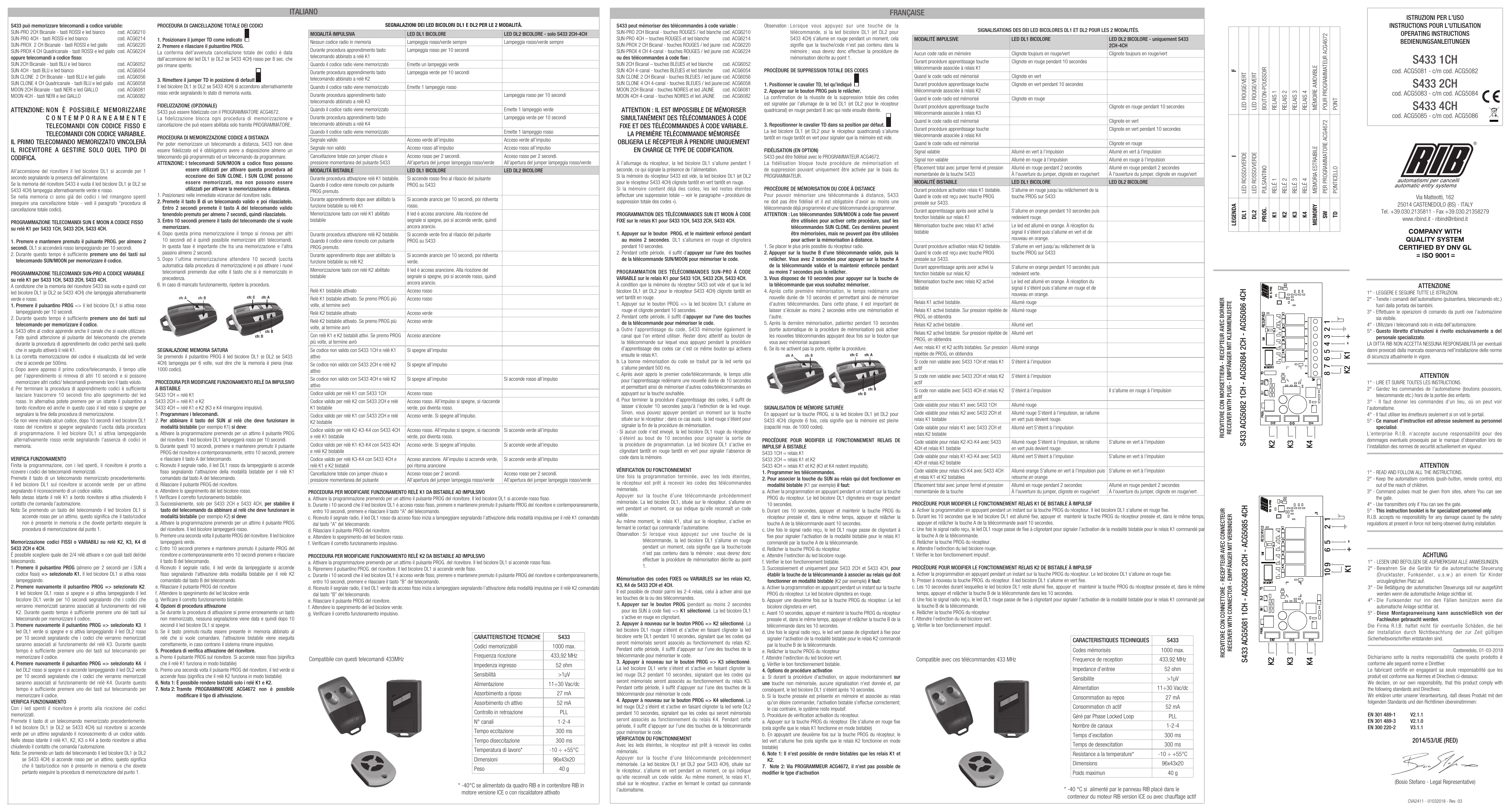
Ricevitore con morsettiera / Récepteur avec bornier / Receiver with plug / Empfänger mit Klemmenleiste
S433 ACG5082 1CH - ACG5084 2CH - ACG5086 4CH (relè K1, K2, K3, K4 — morsetti 1 à 8, + / -).
Légende / Legenda / Legend / Legende
| Symbole | Italiano | Français | English | Deutsch |
|---|---|---|---|---|
| DL1 | LED rosso/verde | LED rouge/vert | Red/green LED | Rote/grüne LED |
| DL2 | LED rosso/verde | LED rouge/vert | Red/green LED | Rote/grüne LED |
| PROG. | Pulsantino | Bouton-poussoir | Push button | Drucktaster |
| K1 | Relé 1 | Relais 1 | Relay 1 | Relais 1 |
| K2 | Relé 2 | Relais 2 | Relay 2 | Relais 2 |
| K3 | Relé 3 | Relais 3 | Relay 3 | Relais 3 |
| K4 | Relé 4 | Relais 4 | Relay 4 | Relais 4 |
| MEMORY | Memoria estraibile | Mémoire amovible | Removable memory | Entfernbaren Speicher |
| SW | Per programmatore ACG4672 | Pour programmateur ACG4672 | For programmer ACG4672 | Für Programmierung ACG4672 |
| TD | Ponticello | Pont | Jumper | Überbrückung |
Caractéristiques techniques S433
| Caractéristique | Valeur |
|---|---|
| Codes mémorisables | 1000 max. |
| Fréquence de réception | 433,92 MHz |
| Impédance d'entrée | 52 ohm |
| Sensibilité | >1 µV |
| Alimentation | 11÷30 Vac/dc |
| Consommation au repos | 27 mA |
| Consommation canal actif | 52 mA |
| Contrôle / gestion | Phase Locked Loop (PLL) |
| Nombre de canaux | 1-2-4 |
| Temps d'excitation | 300 ms |
| Temps de désexcitation | 300 ms |
| Température de travail* | -10 ÷ +55 °C |
| Dimensions | 96 x 43 x 20 mm |
| Poids | 40 g |
* -40 °C si alimenté par le panneau/quadro RIB placé dans le conteneur du moteur RIB version ICE ou avec chauffage actif.
Télécommandes 433 MHz compatibles
Compatibile con questi telecomandi 433MHz / Compatible avec ces télécommandes 433 MHz / Compatible with these 433MHz remotes / Kompatibel mit diesen 433MHz Fernbedienungen.